"Before your solar panels can earn you a single cent from the grid, one quiet administrative step has to happen first — and most homeowners don't find out about it until they're already weeks into their installation."
Considering solar for your own home?
Sunollo installs and operates residential solar across Singapore — buy outright or from $0 upfront ($99/month), with the same battery-ready hardware on both paths; SunolloCare is bundled on $0-upfront and elective on outright. Get a free savings estimate →
The Step Nobody Tells You About
You've done the research. You've got your quotes. You've signed the contract with your solar installer. The panels are going up. And then — usually halfway through the installation timeline — someone mentions it for the first time:
"You'll need to apply for a Meter Option Change."
If you're like most Singaporean homeowners, this is the first time you've heard those words. And immediately the questions start: What is a Meter Option Change? Why do I need one? Who applies for it? How long does it take? Do I have to pay for it?
This article answers every single one of those questions. We'll explain exactly what a Meter Option Change (MOC) is, why solar panels in Singapore legally require one, which organisation is responsible for applying (hint: it's not your solar installer), how to contact each of Singapore's major electricity retailers to get it done, and what the full timeline looks like from application to completed installation.
By the end, you'll understand this process completely — and you'll be able to move forward with confidence rather than confusion.
What Is a Meter Option Change (MOC)?
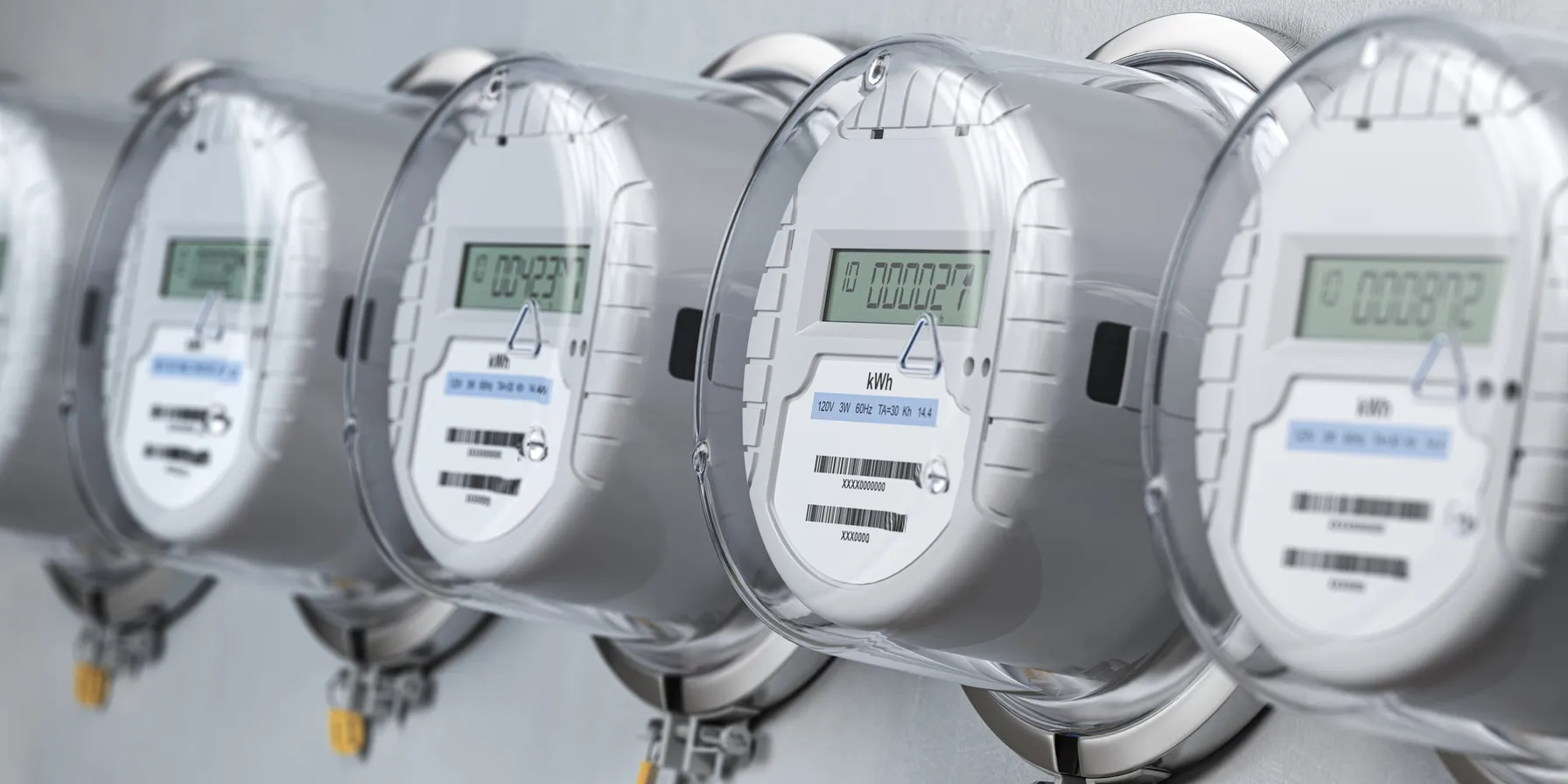
A Meter Option Change is the formal process of switching your electricity meter from a conventional meter to an AMI (Advanced Metering Infrastructure) meter — also called a smart meter.
The conventional meters most Singapore homes currently have are basic devices: they record how much electricity you consume, and that's it. They only measure power flowing into your home from the grid.
An AMI smart meter does something fundamentally different. It measures electricity flowing in two directions:
- Into your home from the grid (consumption)
- Out of your home back to the grid (solar export)
This bidirectional measurement is critical for solar homeowners. When your solar panels produce more electricity than your home is using at that moment — on a sunny afternoon, for example — the surplus electricity flows back into the national grid. Under Singapore's Net Energy Metering (NER) scheme, SP Group credits you for this exported electricity at the prevailing market rate.
But here's the thing: a conventional meter cannot measure this export. It has no mechanism to record electricity flowing in reverse. Without an AMI meter, you simply cannot participate in NER — which means every kilowatt-hour of excess solar energy your panels produce just disappears into the grid with zero compensation.
This is why the Meter Option Change is not optional. If you're installing solar and want to benefit from Singapore's NER scheme, you must have an AMI meter that can measure export. If you do not yet have one, you need a Meter Option Change (or national rollout completion at your address).
First: Do You Already Have an AMI Meter?
Before you request an MOC, check whether SP Group has already installed an AMI smart meter at your premises under Singapore's nationwide rollout (all households targeted by 2026).
How to check: Open the SP Utilities app or your SP online account. If your electricity usage is shown in half-hourly intervals, you already have an AMI meter. In that case you typically do not pay a one-time meter-change fee — you need NER activation with your retailer/SP, not a new meter. Confirm with them.
If your usage is only bimonthly reads or estimated months between physical meter reads, you likely still have a cumulative meter and will need an MOC for solar export metering.
AMI Metering: Who Needs It?
| Situation | Do You Need an MOC? |
|---|---|
| Going solar, no AMI yet (no half-hourly data in SP app) | Yes — request MOC |
| AMI already installed (half-hourly data in SP app) | No — usually NER activation only (confirm with retailer) |
| Already have solar but still on old cumulative meter | Yes — apply now |
| Installing solar with battery storage only (no grid export) | Recommended — check with installer |
| No solar, optional smart metering | Optional (SP Group / retailer on request) |
The short answer: Going solar requires export-capable AMI metering. If yours isn't in place yet, you need an MOC (unless the rollout installs it before you energise).
The Critical Point: Only Your Electricity Retailer Can Apply
This is where most of the consumer confusion happens, so let's be direct about it.
Your solar installer cannot apply for your Meter Option Change. You cannot apply for it yourself through a standard form. Only your electricity retailer — or SP Group if you're on the regulated tariff — can submit the MOC application.
Here's why.
In Singapore, the electricity system has two layers:
- The physical infrastructure (wires, grid, meters) — managed by SP PowerGrid
- The commercial electricity supply (billing, tariffs, plans) — managed either by SP Services (regulated tariff) or by a licensed electricity retailer under the Open Electricity Market (OEM)
Your electricity retailer holds the commercial relationship with SP Group for your connection point. Any changes to your metering arrangement — including upgrading to an AMI smart meter — must be formally requested through that commercial relationship. SP PowerGrid will not accept a meter change request from a third party (like your solar installer) or directly from you as a consumer without going through your retailer first.
This is not bureaucratic obstruction. It's how the licensed energy market is structured to maintain accountability, accurate billing, and grid integrity.
Step 1: Find Out Who Your Electricity Retailer Is
Before anything else, you need to know who your electricity retailer is. This determines who you call.
Check your most recent electricity bill. The retailer's name will appear prominently at the top.
Are you on the SP regulated tariff? Your bill will come from SP Group or SP Services. You are paying the regulated electricity tariff, which fluctuates each quarter based on fuel costs. You have not switched to the Open Electricity Market.
Are you with an OEM retailer? Your bill will show the name of a licensed electricity retailer — one of the companies listed below. You switched to the Open Electricity Market at some point and are paying a fixed, discount, or indexed rate from that retailer.
If you genuinely don't know, you can check via the EMA Consumer Portal at www.ema.gov.sg or call SP Group's helpline at 1800 222 2333.
Path A: You're With SP Group (Regulated Tariff)
If your electricity bill comes from SP Services and you haven't switched to the OEM, the process is straightforward. SP Group handles both your commercial electricity billing and the physical metering, so there's only one organisation to deal with.
How to Apply for MOC with SP Group
Option 1: Online (Fastest) Go to www.spgroup.com.sg and log in to your SP Utilities account. Under "My Account" or "Service Requests," look for the metering or solar-related applications. SP Group has an online portal for NER applications that includes the AMI meter change request.
Option 2: Email Write to SP Group at [email protected] with:
- Your account number (from your bill)
- Your property address
- A note that you are installing solar and need an AMI meter change for NER participation
- Your solar installer's name and contact (SP Group may follow up with them directly)
Option 3: Phone Call SP Group's customer service at 1800 222 2333 (toll-free in Singapore, available Mon–Fri 8am–6pm, Sat 8am–1pm).
Option 4: Walk-in Visit SP Group's Customer Service Centre at 2 Kallang Sector, Singapore 349277 (nearest MRT: Ubi).
What SP Group Will Do
Once you submit your request, SP Group will:
- Verify your details and solar installation
- Coordinate with SP PowerGrid to schedule a meter replacement
- Send a technician to your property to replace the conventional meter with an AMI smart meter (you may pay the one-time AMI fee unless you already have an AMI from the national rollout)
- Notify you when the NER account is activated
Cost (when you request the change proactively): Major retailers publish a one-time AMI installation fee of S$40 before GST (S$43.60 inclusive of 9% GST) — for example, Senoko Energy states this on their household metering support page. The Open Electricity Market (EMA) notes a meter installation fee (incl. GST) applies under the Advanced Metering Option. If your home already has an AMI from the national rollout (half-hourly data in the SP app), you should not be charged this fee again. Some retailer plans bundle or waive the fee — always confirm in writing before you proceed.
Path B: You're With an OEM Electricity Retailer
If you've switched to Singapore's Open Electricity Market, you need to contact your specific electricity retailer. They will submit the MOC application to SP Group on your behalf.
The key message here: contact your retailer as early as possible — ideally before or right at the start of your solar installation, not after it's complete. The MOC process takes time, and your NER credits cannot start accumulating until export metering and your NER account are properly set up.
Fee tip: Ask upfront: "What is the one-time AMI installation fee for my plan, and is it waived or bundled?" Published reference pricing is commonly S$43.60 incl. GST (e.g. Senoko); your retailer confirms what applies to you.
Below are the major electricity retailers in Singapore's OEM, with their contact details and what you should say when you call or email.
Geneco
Who they are: A licensed electricity retailer offering fixed, discount, and market-rate electricity plans. One of Singapore's largest OEM retailers.
Website: www.geneco.sg
Contact: Log in to your Geneco account at geneco.sg and submit a service request, or call 1800 GENECO1 (1800 436 3261). Email via the contact form on their website.
What to say: "I am installing solar panels at my property and need to apply for a Meter Option Change to upgrade to an AMI smart meter for Net Energy Metering (NER) participation under the EMA's scheme. Please initiate the MOC process on my behalf."
Important: Provide your account number, property address, and confirm your solar installer's name. Geneco will coordinate with SP PowerGrid. Ask whether your plan includes the AMI installation fee.
Senoko Energy
Who they are: One of Singapore's generation companies and a licensed electricity retailer.
Website: www.senokoenergy.com
Contact: Call 6261 3060 or email via the contact page at senokoenergy.com. For residential customers, use the consumer hotline.
What to say: "I am a residential customer going solar. I need my electricity meter changed to an AMI smart meter to participate in Singapore's Net Energy Metering scheme. Please submit a Meter Option Change request with SP Group for my account."
Pricing reference: Senoko publishes S$43.60 incl. GST (S$40 before GST) as the one-time optional AMI upgrade fee on their metering support page — confirm whether this applies to your account and plan.
Pacific Light Power (PacificLight)
Who they are: A licensed electricity retailer and generation company in Singapore.
Website: www.pacificlight.com.sg
Contact: Call 6372 1868 or use the contact form on their website.
What to say: Explain you are installing solar, need an AMI meter upgrade, and want them to initiate an MOC with SP Group. Ask whether there is an AMI installation fee on your plan.
Tuas Power Supply
Who they are: One of Singapore's original power generation companies, also operating as an OEM retailer.
Website: www.tuaspower.com.sg
Contact: Call 6272 1833 or email via their website contact form.
What to say: Mention your account number, that you are going solar, and that you need an MOC for NER participation. Ask about any AMI meter fee.
Sembcorp Power
Who they are: Sembcorp Industries' electricity retail arm, offering residential electricity plans.
Website: www.sembcorppower.com.sg
Contact: Visit their website for the current hotline and email. Customer service is typically available Mon–Fri business hours.
What to say: "I'm a residential customer installing solar. Please initiate a Meter Option Change for my account to upgrade to an AMI smart meter for NER with EMA."
Keppel Electric
Who they are: Keppel Group's electricity retail division for Singapore consumers.
Website: www.keppelelectric.sg
Contact: Refer to their website for the helpline number and email contact form.
Other Retailers (Union Power, iSwitch, BluGas, Best Electricity, etc.)
For any other licensed OEM retailer, the process is identical:
- Contact them by phone, email, or their account portal
- State clearly: "I am installing solar and need a Meter Option Change to an AMI smart meter for NER participation"
- Provide your account details and installer information
- Ask them to confirm in writing that the MOC has been submitted to SP Group
You can verify your retailer is licensed via the EMA website: current licensees.
What Happens After You Submit the MOC Request
Here's the full process from the moment your retailer submits the MOC:
Week 1–2: Submission and verification
Your retailer submits the MOC request to SP Group. SP Group verifies the details against their records and your solar installer's application (your installer will have submitted a separate solar installation application to SP Group/EMA).
Week 2–4: Scheduling
SP PowerGrid schedules a technician visit to your property to replace the conventional meter with an AMI smart meter. You'll typically receive an SMS or letter with the appointment date. The visit usually takes 1–2 hours and the technician will briefly interrupt your power supply (usually for less than 30 minutes).
Week 4–8: AMI meter installation and NER activation
The technician installs the AMI meter. Your connection is restored. SP Group activates your NER account, linking your solar installation to your meter so that exports can be tracked and credited.
From Week 8 onwards: NER credits begin
Once the NER account is active, any electricity your solar panels export to the grid is recorded and credited at the prevailing half-hourly wholesale electricity price, applied against your monthly bill.
Important: Export that occurred before your NER account (and correct metering) is formally activated cannot be credited — there is no backdating. This is another reason to start the MOC process early.
Why Your Solar Installer Cannot Do This (But a Good One Will Guide You)
Your solar installer — including Sunollo — cannot submit the MOC application on your behalf. The retailer–SP Group commercial relationship is strictly between those two parties. Your installer doesn't have access to your retailer account, and SP Group won't accept a third-party meter change request.
However, a reputable solar installer will:
- Tell you to check the SP Utilities app for half-hourly data before assuming you need a paid MOC
- Inform you about the MOC requirement at the start of the project
- Tell you exactly which retailer to contact (and what to say)
- Simultaneously submit their own solar installation notification to EMA/SP Group so that the two applications can be matched
- Follow up to ensure both processes are aligned
- Advise you if there are delays
If your installer hasn't mentioned the MOC at all by the time they start installation, that's a red flag. Ask them directly: "Have you submitted the solar installation application to EMA? And have you given me the information I need to apply for the Meter Option Change?"
The Common Mistakes (and How to Avoid Them)
Mistake 1: Not checking the SP Utilities app first
Half-hourly usage means an AMI may already be installed. You skip unnecessary wait time — and avoid paying a fee you don't need.
Mistake 2: Waiting until after installation to start the MOC process
The MOC process can take 4–8 weeks. If you only start after the panels are installed, your system may export without NER credits until metering is active. Start the conversation with your retailer the day you sign the solar installation contract.
Mistake 3: Assuming your solar installer handles it
They don't. You need to contact your retailer. See Path A or B above.
Mistake 4: Not knowing who your retailer is
Check your electricity bill now. If it says SP Group, you're on the regulated tariff. If it shows any other name, that's your OEM retailer.
Mistake 5: Switching electricity retailers mid-process
A mid-process switch can delay or restart the MOC application. Complete the MOC with your current retailer before switching.
Mistake 6: Confusing MOC with the EMA solar licence
The MOC (meter change) and the solar installation approval from EMA are two separate parallel processes. Your installer handles EMA approval; you handle the MOC via your retailer. Both must complete before NER credits begin.
Frequently Asked Questions
Q: Is the AMI meter upgrade free?
Not always. When you proactively request an AMI installation, retailers commonly quote S$43.60 inclusive of 9% GST (S$40 before GST) — for example, Senoko Energy publishes this on their metering support page. If half-hourly usage already appears in your SP Utilities app, your home likely already has an AMI from the national rollout — you should not pay the meter fee again. Confirm with SP or your retailer. Some OEM plans bundle or waive the fee — always ask in writing.
Q: Can I apply for the MOC before my solar installation is complete?
Yes, and you should. You can initiate the MOC application as soon as your solar installation contract is signed. The more lead time, the better.
Q: What if my retailer says they don't know what an MOC is?
This is rare, but it happens. Ask to speak with a supervisor or the "metering team." The formal term is "Meter Option Change for NER participation." You can also refer them to EMA's guidelines on the Net Energy Metering scheme at www.ema.gov.sg.
Q: How long does the full process take, start to finish?
From submitting the MOC to your first NER credit appearing on your bill: allow 6–10 weeks conservatively. Some cases are faster (4 weeks), but plan for 2 months to be safe.
Q: I already have solar but still have an old meter. Is it too late?
No. Contact your retailer or SP Group right now and explain you have an existing solar installation but haven't yet switched to an AMI meter. They will initiate the process. Note that you cannot claim retroactive NER credits for the period before your AMI meter was installed.
Q: What is the NER export rate?
The NER rate in Singapore is the prevailing half-hourly wholesale electricity price published by the Energy Market Company (EMC). It varies throughout the day. As a rough guide, it has historically ranged from approximately 7–20+ cents per kWh depending on time of day and market conditions. This is lower than the retail tariff you pay, but it is real monetary value for electricity your panels produce beyond your own needs.
Q: Does it matter which electricity plan I'm on (fixed rate, discount, market rate)?
No. The MOC and NER scheme are separate from your electricity tariff plan. Regardless of which plan you're on — regulated tariff, fixed-price OEM plan, or indexed plan — you are entitled to participate in NER with an AMI meter.
Q: I live in an HDB flat. Does any of this apply to me?
HDB flats with solar panels (community solar or co-location schemes) are typically handled at the town council or building level. If you personally own roof rights on a landed property and are installing solar, this guide applies to you directly. If you're participating in a collective HDB solar programme, the town council manages this on your behalf.
Q: My plan is expiring soon and I haven't locked in a new one. Should I renew before or after the MOC?
Complete the MOC first, or at minimum start the MOC simultaneously with your plan renewal. If you switch retailers, your new retailer needs to re-initiate the MOC. This is doable, but avoidable complexity.
Q: What if I want to switch retailers after my MOC is done?
You can switch. The AMI meter remains at your property permanently — it doesn't go away if you change retailers. However, if your NER account needs to be re-registered under the new retailer's account, there may be a brief administrative period. Ask both your outgoing and incoming retailers to ensure continuity of your NER account.
Summary: Your MOC Checklist
- ☐ SP Utilities app: half-hourly usage? If yes, you likely already have an AMI — confirm NER activation only
- ☐ Check your electricity bill — identify whether you're with SP Group or an OEM retailer
- ☐ Contact your retailer (or SP Group) the day you sign your solar installation contract
- ☐ Ask for the AMI installation fee in writing (typical S$43.60 incl. GST if a paid change applies)
- ☐ Tell them: "I need a Meter Option Change for AMI metering to participate in NER"
- ☐ Provide your account number and property address
- ☐ Confirm they have submitted the MOC to SP Group (get this in writing if possible)
- ☐ Ask for the expected timeline for the meter replacement visit
- ☐ Ensure your solar installer has submitted the corresponding EMA installation application
- ☐ Complete the meter replacement visit when SP PowerGrid schedules it
- ☐ Confirm your NER account is active on your next electricity bill
Moving Forward With Solar in Singapore
The Meter Option Change is genuinely not complicated once you know what it is and who to call. The confusion comes from the gap between what most people expect (that the solar installer handles everything) and the reality (that this one administrative step sits with your electricity retailer). Check the SP app first — many homes are already on AMI from the national programme.
Now you know. Make the call. Start the process early. And once that AMI meter is in place, your solar panels will do exactly what they're supposed to: generate clean energy, power your home, and send the surplus back to the grid — putting real money back in your pocket every month.
If you have questions about how the MOC fits into the broader solar installation process, or you're trying to understand your NER earnings and overall solar savings, Sunollo's team is happy to walk you through it. We handle the installation side so you can focus on what matters — enjoying the savings.
Sources and further reading:
- Energy Market Authority Singapore: www.ema.gov.sg
- Open Electricity Market — metering options: www.openelectricitymarket.sg/residential/metering-options
- Senoko Energy — AMI / metering (published fee): www.senokoenergy.com/households/support/metering
- SP Group: www.spgroup.com.sg
- EMA licensed electricity retailers: current licensees